
Ready Made FAQs Section
How to Add and Customize the FAQs Section in InterFunnels
The FAQs Section in InterFunnels is an excellent way to address common customer queries and improve user experience. This guide will walk you through adding and customizing the FAQs Section effectively.
Step 1: Adding the FAQs Section
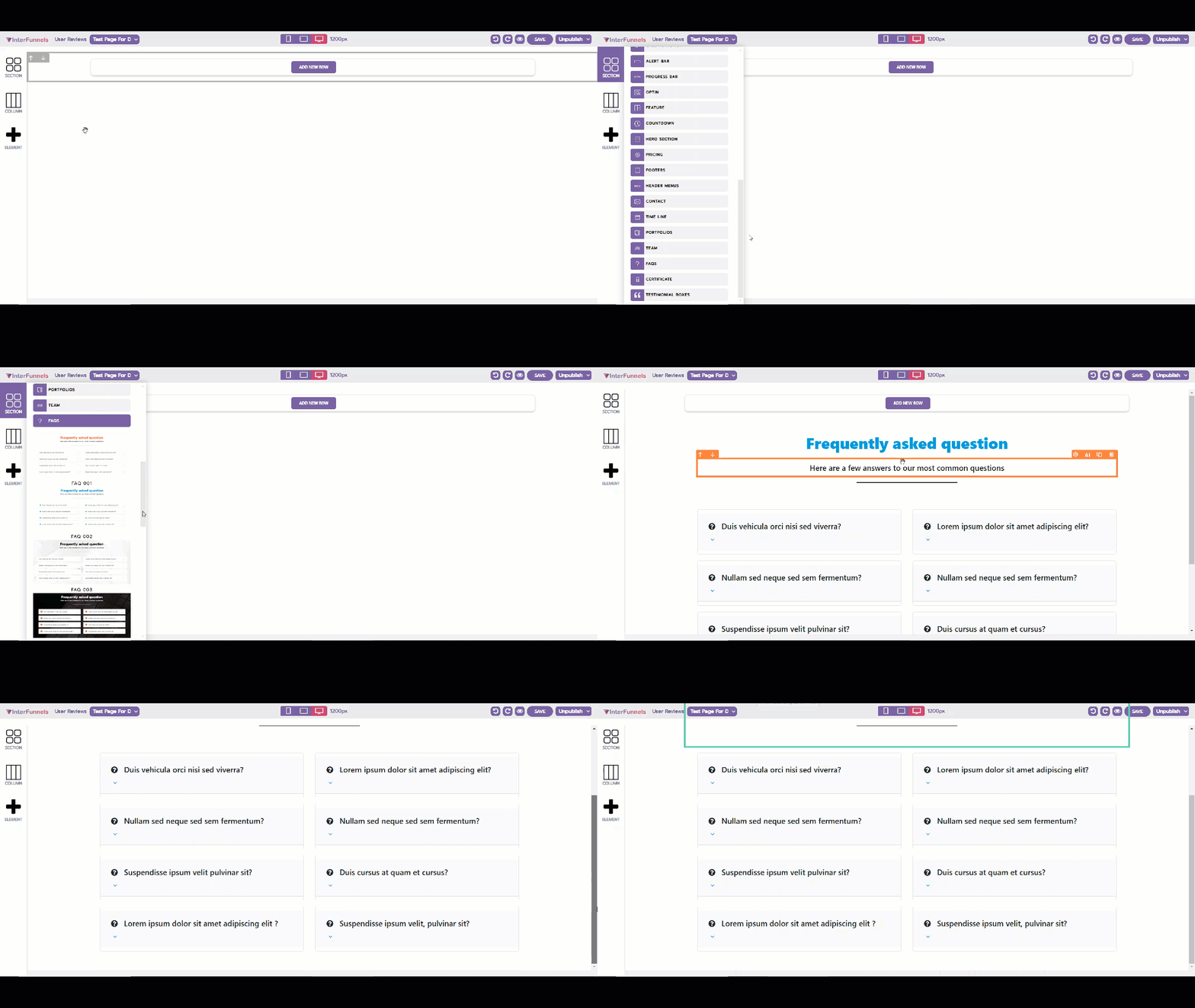
-
Navigate to the InterFunnels Page Editor.
-
Click on the Section button in the left panel.
-
Drag and drop the FAQs Section onto your desired location on the page.
Step 2: Configuring FAQ Entries
Once the section is placed, follow these steps to customize the FAQs:
-
Click on the FAQ Block to open the settings panel.
-
Enter Questions and Answers: Add common customer questions and provide clear, concise answers.
-
Reorder FAQs: Drag and arrange questions in the desired order to enhance readability.
-
Enable Accordion View (Optional): This will allow users to expand and collapse answers for a cleaner layout.
Step 3: Customizing the Design
To ensure the FAQ section aligns with your branding, adjust:
-
Font and Text Styles: Modify font type, size, and colors.
-
Background and Borders: Change the section background, add borders, or apply shadow effects.
-
Spacing and Alignment: Adjust padding, margin, and layout structure for a visually appealing design.
Step 4: Saving and Publishing
Once satisfied with the customization:
-
Click the Save button to store your changes.
-
Preview the page to ensure proper formatting.
-
Click Publish to make the FAQ section live!
Your FAQs Section is now successfully added and customized!