
Ready Made Features Section
How to Add and Customize the Features Section in InterFunnels
The Features Section in InterFunnels is designed to highlight key benefits, services, or functionalities of your product or offer. This guide will walk you through adding and customizing the Features Section in your funnel pages.
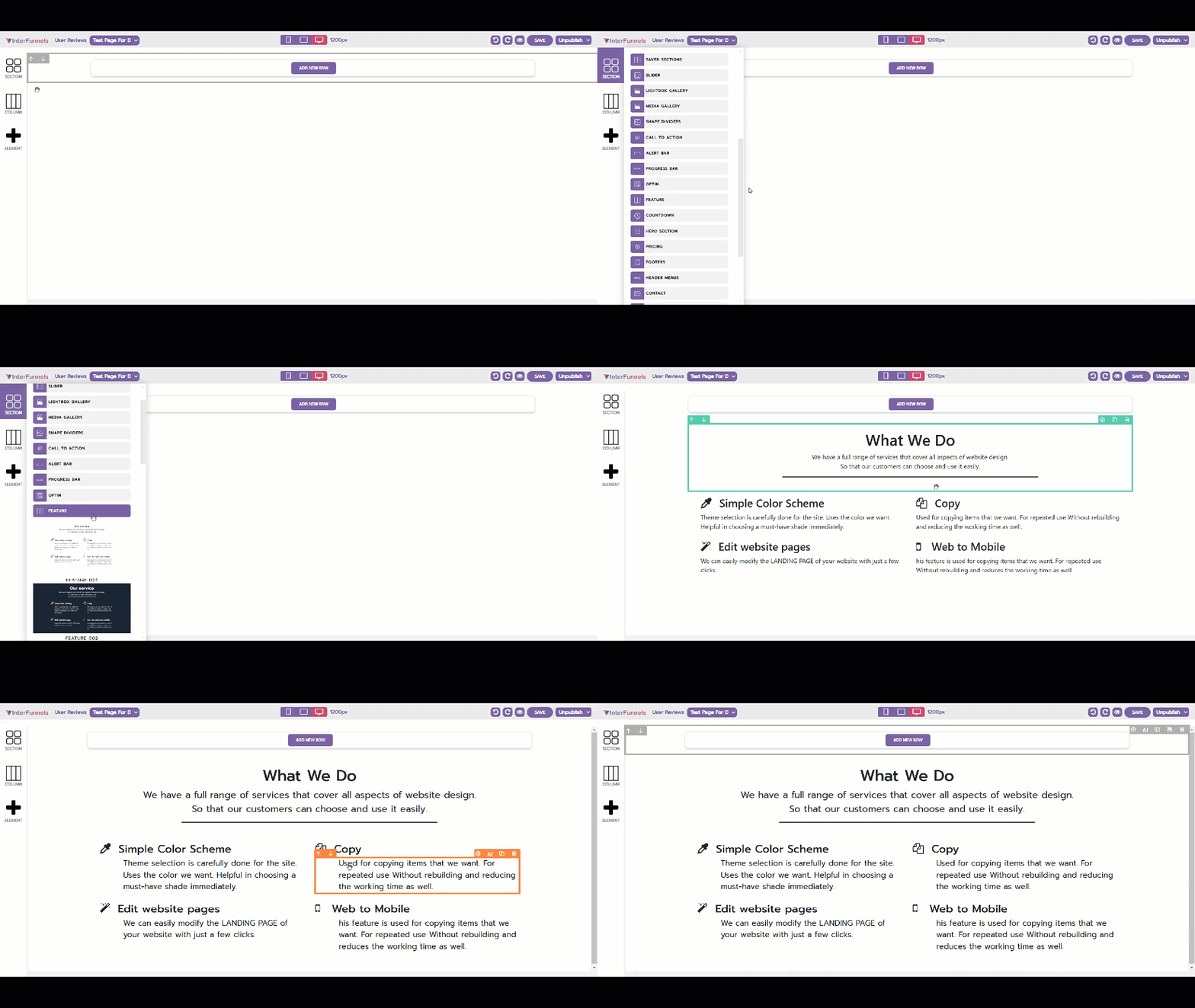
Step 1: Accessing the Funnel Builder
-
Log in to your InterFunnels account.
-
Open the funnel page where you want to add the Features section.
-
Click on the Editor to start editing the page.
Step 2: Adding the Features Section
-
On the left sidebar, click on the "Section" icon.
-
Look for the "Features" section in the pre-designed section templates.
-
Drag and drop the Features section onto your funnel page.
Step 3: Customizing the Features Section
Once the Features Section is added, you can customize it based on your requirements:
1. Editing the Feature Titles & Descriptions
-
Click on the text inside each feature box.
-
Enter a headline that highlights the feature.
-
Provide a brief description explaining its benefit.
-
Use the formatting toolbar to adjust text size, font, and color.
2. Changing Icons or Images
-
Click on the icon or image associated with a feature.
-
Choose a suitable icon from the available library or upload a custom image.
-
Adjust the icon size, color, and position for better alignment.
3. Modifying the Layout & Design
-
Click on the Design Settings panel.
-
Adjust the number of feature columns (e.g., two, three, or four per row).
-
Customize the background color, borders, and spacing.
4. Adding CTA Buttons (Optional)
-
You can add buttons under each feature.
-
Customize the button text (e.g., "Learn More" or "Get Started").
-
Set the button action to redirect users to another page or trigger a pop-up.
Step 4: Saving & Publishing
-
Click the Save button at the top-right corner to save your changes.
-
Click Preview to check how the Features Section appears.
-
If satisfied, click Publish to make the changes live.
Conclusion
The Features Section in InterFunnels is an effective way to showcase the unique selling points of your product or service. By customizing text, icons, and layout, you can create a visually appealing and informative section to engage visitors.
Start using the Features Section today to highlight what makes your offer stand out!