
Ready Made Pricing Section
How to Add and Customize the Pricing Section in InterFunnels
The Pricing Section in InterFunnels is essential for showcasing your product or service costs clearly, helping potential customers make purchasing decisions. This guide will walk you through adding and customizing the Pricing Section on your funnel pages.
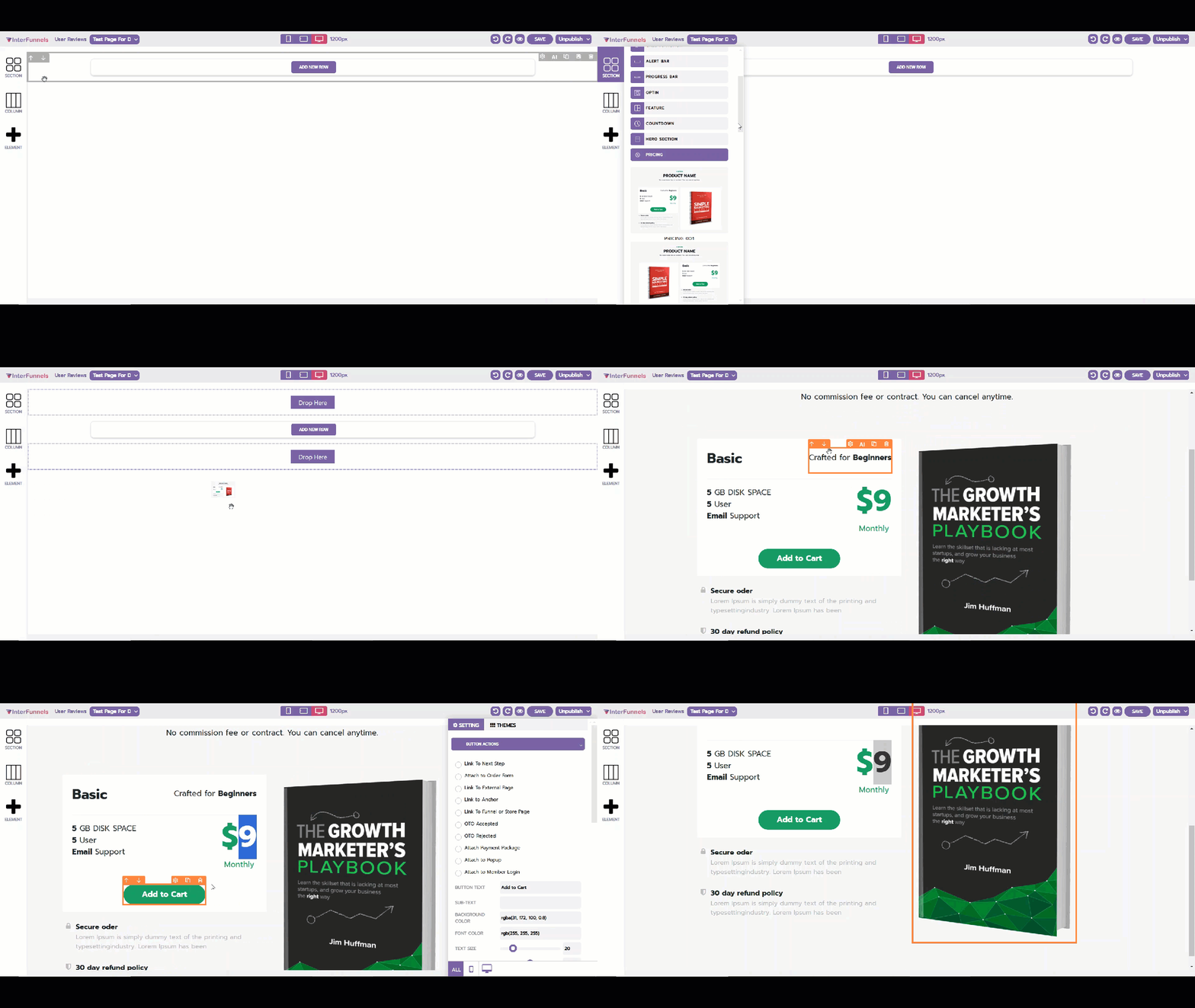
Step 1: Accessing the Funnel Builder
-
Log in to your InterFunnels account.
-
Open the funnel page where you want to add the Pricing Section.
-
Click on the Editor to start editing the page.
Step 2: Adding the Pricing Section
-
On the left sidebar, click on the Section icon.
-
Locate the Pricing Section in the pre-designed section templates.
-
Drag and drop the Pricing Section onto your desired position on the funnel page.
Step 3: Customizing the Pricing Section
Once the Pricing Section is added, you can tailor it to suit your business needs.
1. Editing Pricing Table Fields
-
Click on the Pricing Section to open the settings panel.
-
Modify fields such as Plan Name, Features, and Pricing Details.
-
Enable or disable elements like discounts, best-seller tags, or comparison options.
2. Configuring Payment Information
-
Navigate to the Pricing Settings tab.
-
Define the product price, billing cycle (one-time, monthly, annually), and discounts.
-
Enable additional pricing options like coupon codes or free trials.
3. Customizing the Call-to-Action (CTA) Button
-
Click on the CTA Button inside the Pricing Section.
-
Change the button text (e.g., "Get Started," "Buy Now").
-
Adjust the button color, size, and hover effects.
-
Link the button action to the checkout or sign-up page.
4. Adjusting Layout & Styling
-
Modify padding, margins, and alignment for a professional look.
-
Choose a background color or add an image to enhance visual appeal.
-
Ensure mobile responsiveness for an optimal display on all devices.
Step 4: Saving & Publishing
-
Click the Save button at the top-right corner to save changes.
-
Click Preview to check how the Pricing Section appears.
-
Once satisfied, click Publish to make it live.
Conclusion
The Pricing Section in InterFunnels is crucial for presenting your offers in a structured and appealing manner. By customizing the pricing details, features, and design, you can create a high-converting section that effectively communicates value to your customers.
Start optimizing your Pricing Section today and boost your conversions effortlessly!